
Themes and recipes
The kit attaches MLForm’s design system to every mounted form. Three independent choices shape it: a theme for color and typography, a recipe for density, motion, radii, and shadows, and a mode for light or dark.
mountForm(container, { schema, transport, designSystem: { theme: "eshkra", recipe: "default", mode: "auto" },});Without designSystem, the kit uses the neutral theme, the default recipe, and auto mode.
Themes
Section titled “Themes”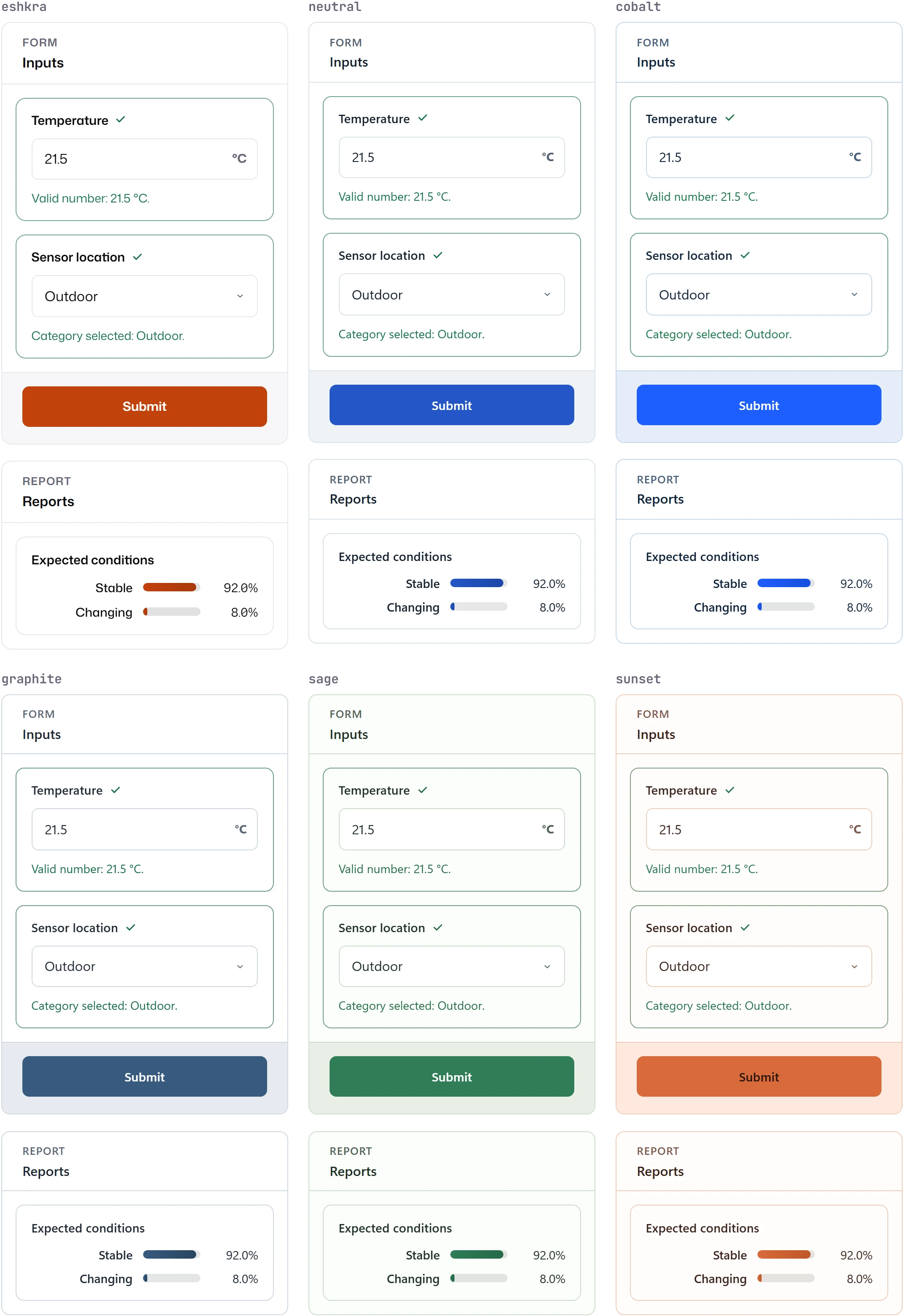
| Theme | Notes |
|---|---|
neutral |
The kit default. |
eshkra |
Ember accents with Mona Sans and JetBrains Mono. Used throughout these docs. |
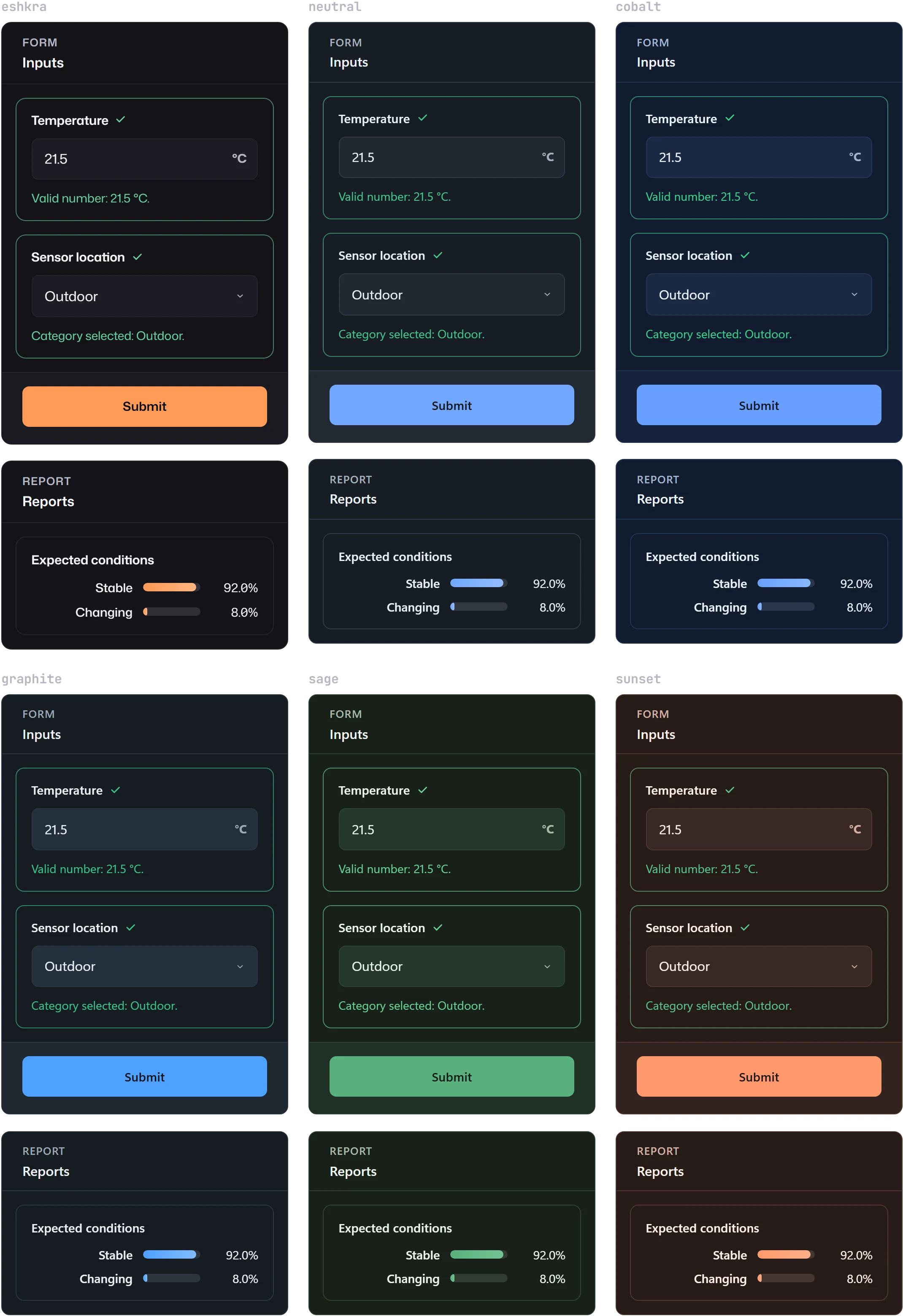
cobalt, graphite, sage, sunset |
General-purpose palettes, shown above. |
m3diseen, dosetailor |
The palettes of M3DISEEN and DoseTailor, with Quicksand. Their dark schemes are MLForm adaptations. |
airbnb, clickhouse |
Palettes modelled on those products. |
Every built-in theme has light and dark schemes. Themes name font families but MLForm never
downloads fonts: load Mona Sans and JetBrains Mono for eshkra, or Quicksand for m3diseen and
dosetailor, in your application; otherwise the theme falls back to system fonts.
Recipes
Section titled “Recipes”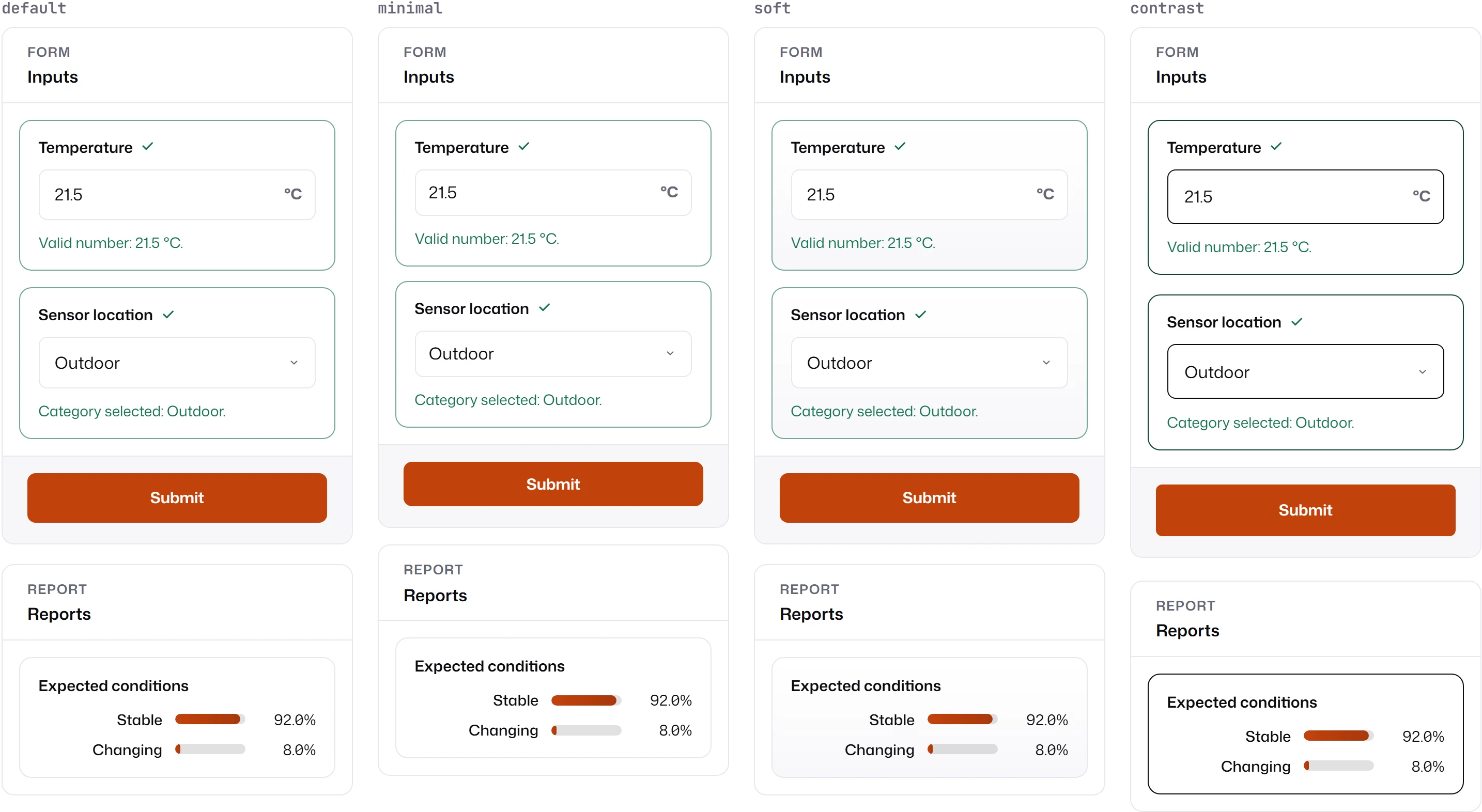
| Recipe | Density | Motion | Character |
|---|---|---|---|
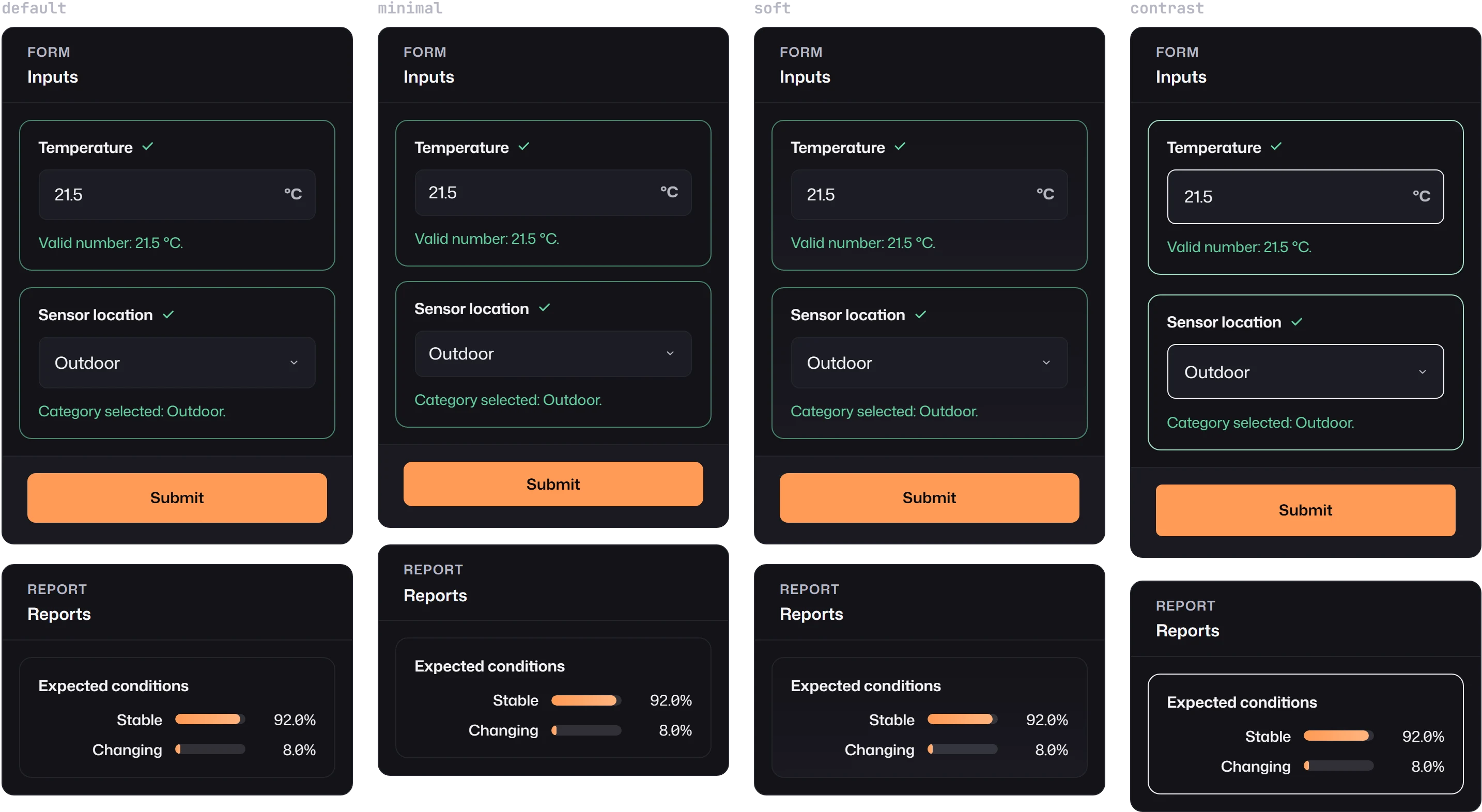
default |
comfortable | subtle | Balanced spacing and borders. |
minimal |
compact | none | Tighter and still, for dashboards that already frame content. |
soft |
comfortable | subtle | Tinted field surfaces. |
contrast |
spacious | standard | Strong borders and larger targets. |
Override density or motion without changing recipe through overrides:
designSystem: { recipe: "default", overrides: { density: "compact", motion: "none" } }Density is compact, comfortable, or spacious; motion is none, subtle, or standard. When
the user prefers reduced motion, motion becomes none unless you set it explicitly; when they
prefer more contrast, density becomes spacious unless you set it, and a theme’s
high-contrast-light or high-contrast-dark variant is applied if it has one. In forced-colors
mode, colors map to system colors.
| Mode | Scheme |
|---|---|
auto (default) |
Follows the operating system’s prefers-color-scheme and updates when it changes. |
light, dark |
Fixed. |
inherit |
Follows the host page, for apps with their own theme switch. |
inherit looks for the scheme in this order: a hostSchemeResolver(host) function in the
config; a data-color-scheme="light|dark" attribute on the host; data-mlf-scheme,
data-mlf-effective-scheme, or data-color-scheme on an ancestor; the computed CSS color-scheme
of the host. If your app marks dark mode another way, pass a resolver:
designSystem: { mode: "inherit", hostSchemeResolver: () => (document.documentElement.dataset.theme === "dark" ? "dark" : "light"),}Change it at runtime
Section titled “Change it at runtime”The handle returned by mountForm updates the attached design system:
mounted.updateDesignSystem({ mode: "dark" }); // mergemounted.replaceDesignSystem({ theme: "sage", recipe: "soft", mode: "auto" }); // replacemounted.resetDesignSystem(); // back to the mount optionsonDesignSystemChange(resolved) reports each resolution, including effectiveScheme, themeId,
recipeId, density, motion, and warnings.
Diagnostics
Section titled “Diagnostics”Unknown theme or recipe ids fall back to neutral and default. Unknown --mlf-* token keys,
tokens placed in the wrong component bucket, and broken var() references are allowed but reported
as warnings in resolved.warnings and to onWarning. Set strict: true to throw instead while
developing.
Next: Tokens and host styling for individual values, and Custom themes and recipes for your own palette.