
Conditions
A field can be hidden, disabled, or read-only statically (hidden: true) or from a condition
(hiddenWhen). Conditions are evaluated by the runtime, so every renderer, built-in or your own,
sees the same state.
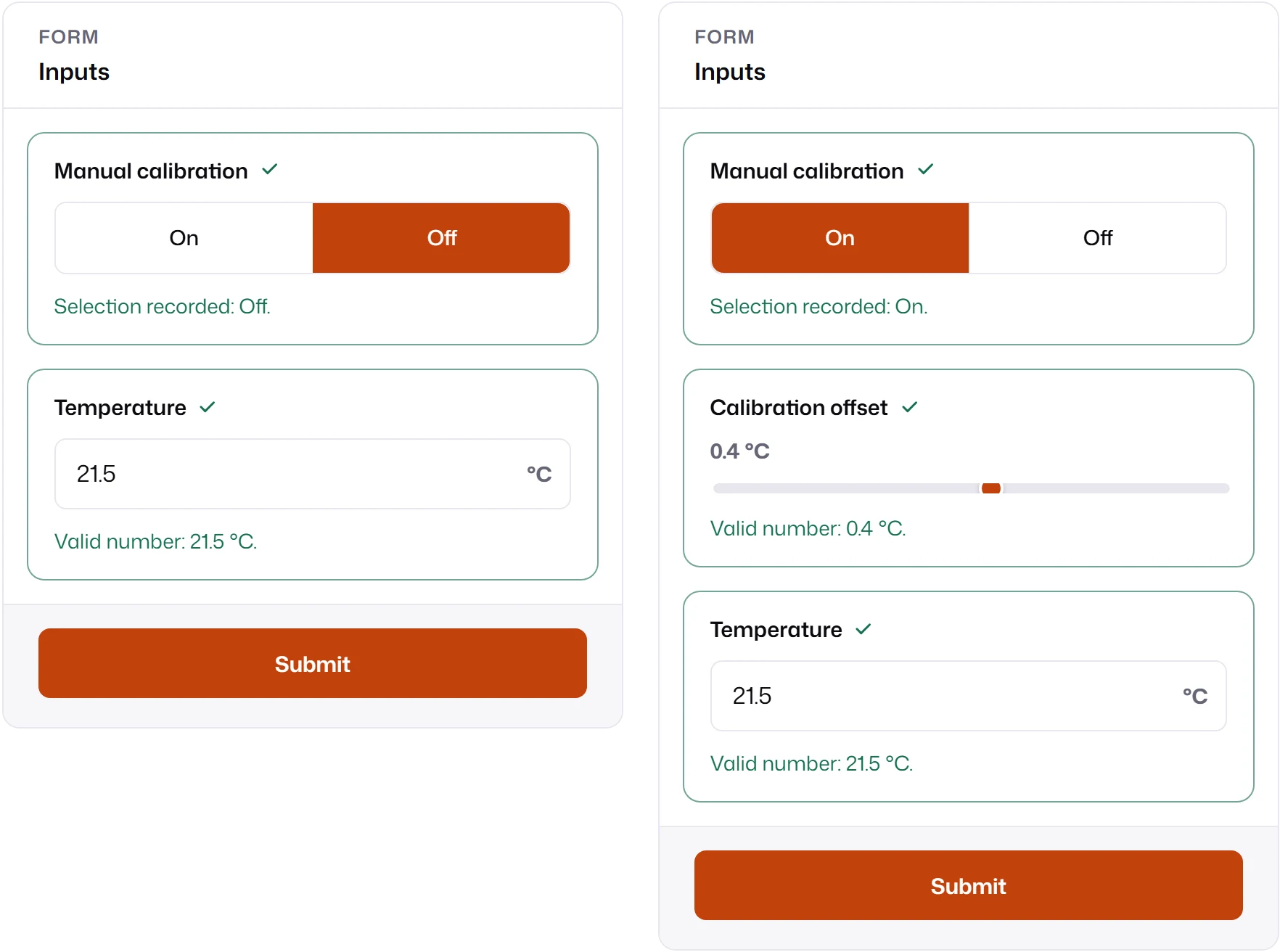
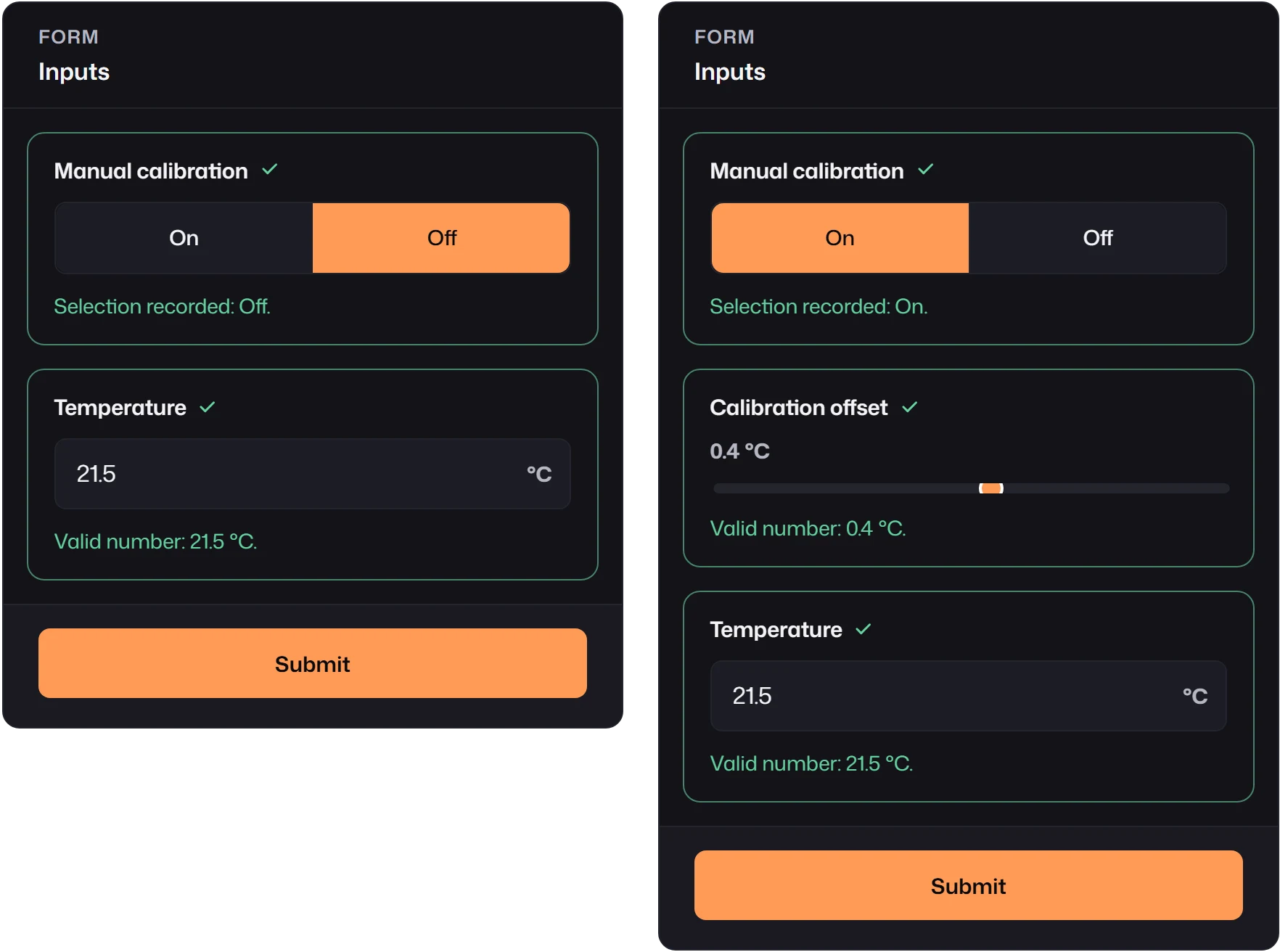
fields: [ { id: "advanced", kind: "boolean", label: "Manual calibration", trueLabel: "On", falseLabel: "Off", includeInSubmission: false, }, { id: "offset", kind: "number", label: "Calibration offset", unit: "°C", defaultValue: 0.4, min: -5, max: 5, step: 0.1, mappedTo: "offset", hiddenWhen: { kind: "field-value", field: "advanced", notEquals: true }, }, { id: "temperature", kind: "number", label: "Temperature", unit: "°C", mappedTo: "temperature" },]notEquals: true hides the offset while the toggle is false and also before the user chooses
(null). The toggle itself has includeInSubmission: false: it shapes the form but is not a
model input.
Condition kinds
Section titled “Condition kinds”| Kind | True when | Example |
|---|---|---|
field-value |
A field’s value passes every operator given. | { kind: "field-value", field: "mode", in: ["expert", "admin"] } |
field-comparison |
Two fields compare with eq, neq, gt, gte, lt, lte. |
{ kind: "field-comparison", field: "max", otherField: "min", operator: "lt" } |
form-operation |
The form is idle, validating, or submitting. |
{ kind: "form-operation", equals: "submitting" } |
submission-status |
The last submission is idle, succeeded, failed, or aborted. |
{ kind: "submission-status", equals: ["failed", "aborted"] } |
submit-count |
The submit count matches eq, gte, lte. |
{ kind: "submit-count", gte: 1 } |
all, any, not |
Combine other conditions. | { kind: "not", condition: { … } } |
field-value operators are equals, notEquals, greaterThan, greaterThanOrEqual,
lessThan, lessThanOrEqual, in, notIn, empty, notEmpty, truthy, and falsy. Several
operators in one condition must all hold. equals and notEquals compare runtime values with
Object.is, so compare numbers to numbers and booleans to booleans; empty treats null, blank
strings, and empty arrays as empty.
field and otherField are exact runtime ids: "include_details" refers to a field whose
explicit id is include_details. A reference to a field that does not exist, including inside all,
any, or not, fails schema normalization.
Function conditions
Section titled “Function conditions”A condition can also be a function of the form state:
readOnlyWhen: ({ values, formOperation, submissionStatus, submitCount }) => formOperation === "submitting" || values.locked === true,Functions are TypeScript only: they cannot come from a JSON schema, and MLForm cannot check their field references. Prefer declarative conditions when schemas are stored or served by a backend.
Conditions do not depend on declaration order. When a change makes another field change, for
example through reset-on-hide, the runtime re-evaluates until every state is stable.
States
Section titled “States”| State | Visible | Editable | Validated | Submitted by default |
|---|---|---|---|---|
| hidden | no | no | no | no |
| disabled | yes | no | no | no |
| read-only | yes | no | yes | yes |
Hidden and disabled fields are inactive. Hidden fields take no space in the layout. Read-only
and disabled controls use muted styling and no editing caret; read-only text and numbers stay
focusable so people can select and copy them. field.setValue() rejects changes to inactive and
read-only fields; give them values through defaultValue, initialValues, or a
mapped category.
Pick the state by what the user should understand:
hiddenWhenfor branches that do not apply.disabledWhenwhen people should see that a value exists but is unavailable.readOnlyWhenfor locked or reviewed data that still belongs in the submission.
Inactive fields and submission
Section titled “Inactive fields and submission”inactiveFieldPolicy decides what happens to hidden and disabled fields. Set it on the form
(mountForm, createFormView, createForm) or on one field; the field wins.
| Policy | Inactive value | Submitted |
|---|---|---|
"omit" (default) |
kept, so it returns if the field becomes active again | no |
"include" |
kept | yes, in modelValues and inputs |
"reset-on-hide" |
reset to its initial value while inactive | no |
"include" does not add a missing mappedTo or override includeInSubmission: false, and it does
not make inactive fields validate: the backend must check what it receives. displayValues only
contains visible fields under any policy.
mountForm(container, { schema, transport, inactiveFieldPolicy: "include" });Keep your backend’s expectations aligned with the policy: with "omit", a hidden input is absent
from the request, not null.