
Built-in controls in your layout
createPrimitiveAdapter from mlform mounts individual built-in controls into elements you choose.
Your application draws the page, the navigation, and the buttons; MLForm draws each field and
report, with its validation feedback, keyboard behavior, and theme.
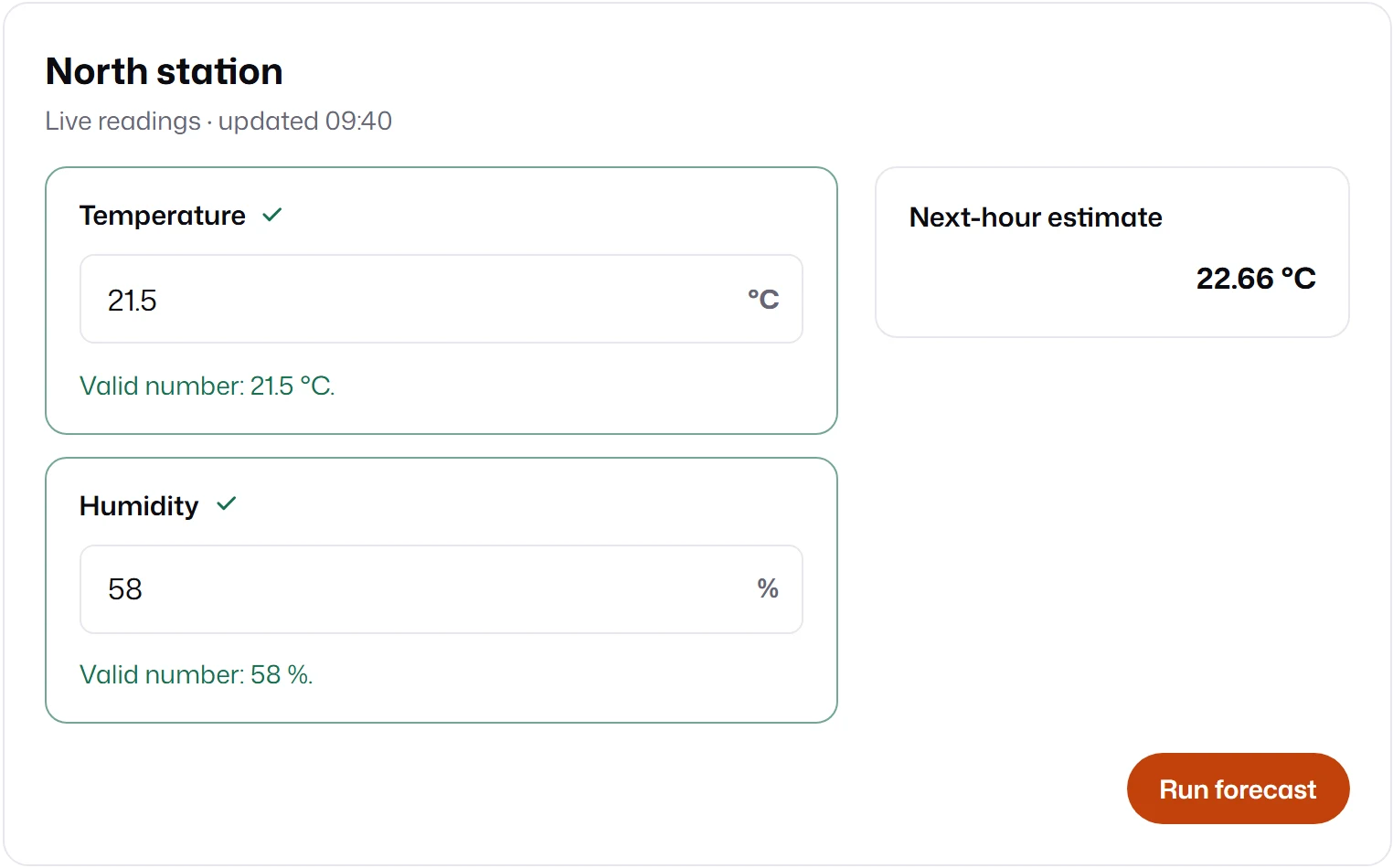
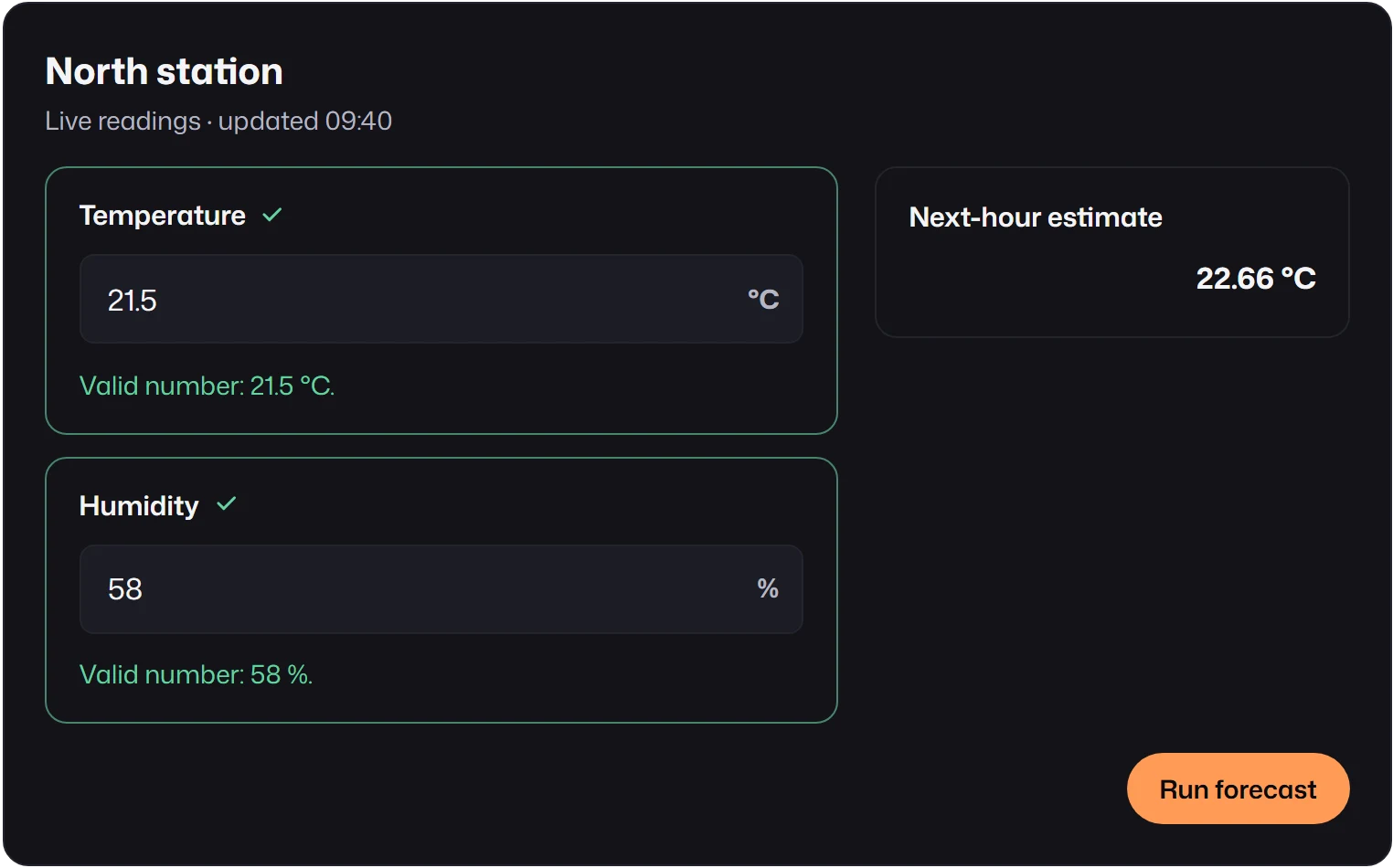
import { attachDesignSystem } from "mlform/design";import { createPrimitiveAdapter } from "mlform/kit";import { createFormView } from "mlform/view";
// The application owns this markup; MLForm only fills the three slots.const host = document.querySelector<HTMLElement>("#form")!;host.innerHTML = `  <article class="station-card">    <header>      <h2>North station</h2>      <p>Live readings · updated 09:40</p>    </header>    <div class="readings">      <div data-slot="temperature"></div>      <div data-slot="humidity"></div>    </div>    <aside data-slot="forecast"></aside>    <footer><button type="button">Run forecast</button></footer>  </article>`;const slot = (name: string) => host.querySelector<HTMLElement>(`[data-slot="${name}"]`)!;
const view = createFormView({  schema: {    fields: [      {        id: "temperature",        kind: "number",        label: "Temperature",        unit: "°C",        defaultValue: 21.5,        mappedTo: "temperature",      },      {        id: "humidity",        kind: "number",        label: "Humidity",        unit: "%",        defaultValue: 58,        mappedTo: "humidity",      },    ],    reports: [      {        id: "forecast",        kind: "regressor",        label: "Next-hour estimate",        unit: "°C",        mappedTo: "forecast",      },    ],  },  transport: {    async submit() {      return {        reports: [          { backend: "default", mappedTo: "forecast", status: "ready", payload: { value: 22.66 } },        ],      };    },  },});// Built-in controls need MLForm's tokens; the adapter leaves styling to the host.const design = attachDesignSystem(host, { config: { theme: "eshkra" } });const ui = createPrimitiveAdapter(view);ui.mountField(slot("temperature"), "temperature");ui.mountField(slot("humidity"), "humidity");ui.mountReport(slot("forecast"), "forecast");host.querySelector("button")!.addEventListener("click", () => void view.submit());
// Call these when the host view is removed.export const dispose = () => {  ui.dispose();  view.dispose();  design.disconnect();};
How it works
Section titled “How it works”- Create the view with
createFormView, then the adapter from it. mountField(slot, id)andmountReport(slot, id)put one control into an empty element and return the control’s frame element. Each id can be mounted once per adapter, and each slot holds one control. Unknown ids and second mounts throw.- The adapter subscribes to the view and keeps every control in its slot while values, errors, and navigation change. Controls outside the active step or tab, inside closed sections, or hidden by conditions are hidden in place.
- Build the shell once. Recreating it on every change replaces the controls and loses focus and caret position.
Options
Section titled “Options”const ui = createPrimitiveAdapter(view, { primitiveRegistry, // custom elements for plugin kinds primitiveText, // control text overrides reportTransport, // the Details panel of built-in reports});These mean the same as in mountForm. Reports follow the view’s
reportFetchMode.
Styling and cleanup
Section titled “Styling and cleanup”The adapter does not attach a design system: call attachDesignSystem on the element that contains
the slots, as above, or style the controls through tokens from your own CSS.
ui.dispose() unsubscribes and removes the controls it created. It does not dispose the view, the
design attachment, or your markup; dispose those separately when the host goes away.
Regions you render entirely
Section titled “Regions you render entirely”When part of the form needs an interface the controls cannot provide, such as a drag-and-drop
material picker, declare a custom layout node for the fields it owns:
layout: { kind: "tabs", tabs: [ { title: "Materials", children: [{ kind: "custom", id: "materials", fields: ["material-a", "material-b"] }] }, { title: "Process", children: [{ kind: "field", field: "speed" }] }, ],}The view validates those field references, counts the fields as placed, and applies tab, step, and
section visibility to them, so visibleInLayout stays correct. Your code renders the region and
writes values through the field controllers. mountForm cannot render custom nodes and rejects such
layouts.