
Multiple backends
One visible form can feed several models: a forecast service and an alert service, a production
model and a candidate. Each model may use different names for the same input. MLForm handles this
with named backends and per-backend mappedTo maps.
Name things per backend
Section titled “Name things per backend”Use an object for mappedTo, keyed by backend name:
const schema = { fields: [ { id: "temperature", kind: "number", label: "Temperature", unit: "°C", mappedTo: { forecast: "temp_c", alerts: "t" } }, { id: "humidity", kind: "number", label: "Humidity", unit: "%", mappedTo: { default: "humidity" } }, ], reports: [ { id: "forecast", kind: "regressor", label: "Forecast model", unit: "°C", mappedTo: { forecast: "estimate" } }, { id: "alert", kind: "classifier", label: "Alert model", labels: ["Normal", "Alert"], mappedTo: { alerts: "condition" } }, ],};- A field’s entry for a backend names its input there.
defaultcovers backends without an entry. Without either, the field sends nothing to that backend. - A report’s entry selects which envelope it shows:
{ alerts: "condition" }shows the envelope{ backend: "alerts", mappedTo: "condition" }. - Backend names are non-empty strings and must be unique in one call.
There are two ways to run several backends, and they differ in what each backend receives.
One submission, several services
Section titled “One submission, several services”createFanoutTransport sends a single submission to several targets at once and merges the
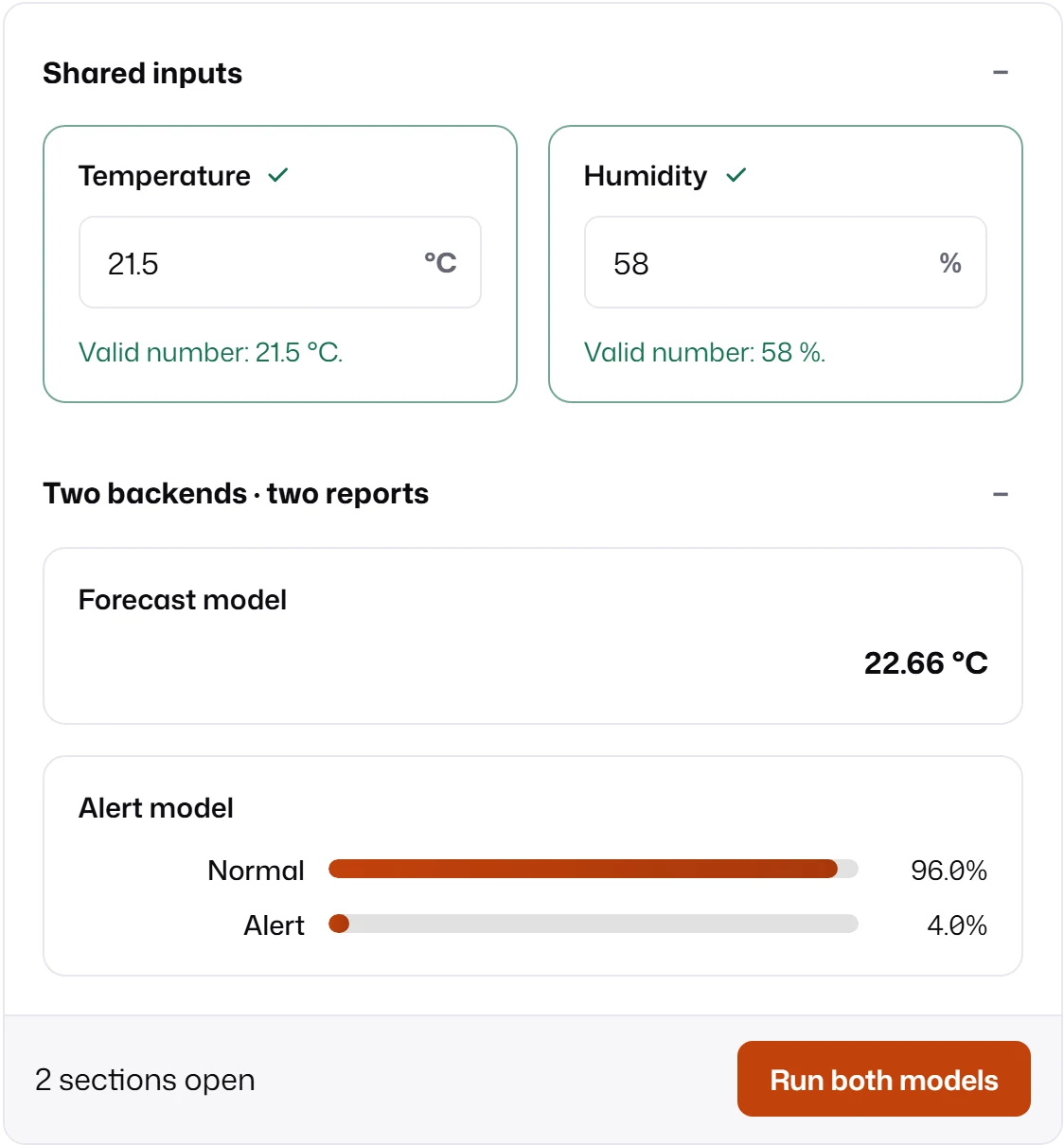
results into one response. The form submits once, so every report updates from the same click.
import { createFanoutTransport } from "mlform/transport";
const transport = createFanoutTransport({  targets: ["forecast", "alerts"],  submit: async (backend, request) => {    const response = await fetch(`/api/${backend}`, {      method: "POST",      headers: { "content-type": "application/json" },      body: JSON.stringify(request.modelValues),      signal: request.signal,    });    if (!response.ok) throw new Error(`${backend} failed with status ${response.status}.`);    return response.json(); // { reports: [{ backend, mappedTo, status, payload }] }  },  merge: (outcomes) => ({    reports: outcomes.flatMap((outcome) => (outcome.status === "fulfilled" ? outcome.value.reports : [])),  }),});
submit(target, request)runs for every target concurrently. Targets can be strings or any value yoursubmitunderstands, such as client objects.merge(outcomes, request)receives one{ target, status: "fulfilled", value }or{ target, status: "rejected", reason }per target, in target order, and returns the response. Decide there whether a failed target becomes askippedenvelope, a thrown error, or nothing.failurePolicy: "collect"(default) waits for every target."fail-fast"rejects on the first failure and aborts the other targets’ signals; use it only when partial results are useless.- Aborting the submission aborts every target.
The submission has no backend name, so request.modelValues contains every backend’s names:
{ temp_c: 21.5, t: 21.5, humidity: 58 } in the example. Each target picks the keys it needs.
Reports still match envelopes by their own backend.
One run per backend
Section titled “One run per backend”executeMultiBackendPipeline from mlform/runtime submits the form once per backend, in order,
with that backend’s name. Each run gets only its own model values ({ temp_c: 21.5, humidity: 58 }
for forecast) and its own result:
import { executeMultiBackendPipeline } from "mlform/runtime";
const { runs } = await executeMultiBackendPipeline({  form: mounted.form,  backends: ["forecast", "alerts"],});
runs.forecast.submitResult?.reportStates.forecast; // { status: "ready", payload: { value: 22 } }runs.alerts.error; // set when that run failed
Your one transport receives request.backend and routes the call itself.
| Option | Default | Meaning |
|---|---|---|
backends |
required | Names, or { backend, signal } objects. |
reportFetchMode |
"all" |
Run report fetches after each submission, or "none". |
continueOnError |
true |
Keep going after a failed run. Cancellation always stops the remaining runs. |
Each entry in runs has snapshot (the records sent), submitResult, reportFetchResults,
reportFetchErrors, skippedReportFetchIds (reports that were neither fetched nor failed to fetch in
that run), and error. A report already returned ready by the submission belongs in
skippedReportFetchIds: its additional fetch was skipped, not its result.
The form shows one state at a time: after the loop, the mounted reports display the last run,
so reports mapped only to earlier backends are back to idle. Use this API when your code consumes
runs, for example to compare models in your own UI. Use the fan-out transport when the mounted
reports should show every backend together.
Inspect without submitting
Section titled “Inspect without submitting”import { createMultiBackendSubmissionSnapshot } from "mlform/runtime";
const byBackend = createMultiBackendSubmissionSnapshot(mounted.form, { backends: ["forecast", "alerts"] });byBackend.alerts.modelValues; // { t: 21.5, humidity: 58 }